Need Support? We're Here to Help! 💜
Hey @Everyone 👋
Just a quick reminder that if you need help with anything MemberUp-related, the fastest way to reach our team is by emailing support@memberup.com.
While we're always happy to answer questions here in the community, we want to make sure you're getting the timely support you need.
Our support team is ready to help with any questions, technical issues, or anything else you need assistance with.
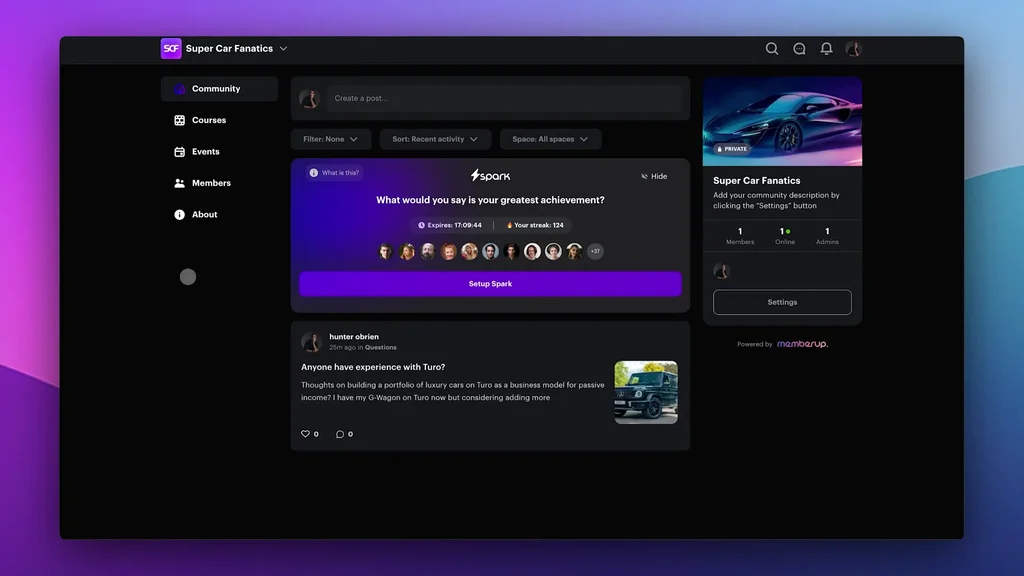
👋 Welcome to the Next Chapter of MemberUp - Start Here
We just want to say a big welcome, and an even bigger thank you.
You’re not just logging into a new version… you’re now a part of the MemberUp family... helping shape where this platform goes next.
When we first started building MemberUp, we wanted to build the space we wished existed. A place where creators, brands, and educators could bring everything together in one beautiful place: your courses, your community, payments, events, and chat… without the chaos of five different logins and duct-taped integrations.
V2 is the next step toward that vision… but really, it’s the start of something much bigger.



Personal
Hey @Brooke Busbee (CreatrBusiness Team) I wanted to share something personal with you. My dad sadly passed away, and I’m going through a really difficult time with my family right now. 😞
I’m staying with my family in Serbia and help my mom through everything.
Since I’m in the second 30-day sprint, I’m concerned about falling behind with all the tasks and deadlines. I definitely won’t be able to post or work on my business for at least a week.
I wanted to ask what the procedure is in situations like this and what my options are for continuing the program. Is there a possibility to pause or adjust the timeline so I don’t lose the progress I’ve made?
Thank you.


Slow drip plans?
Hi! Are their any plans to prevent members from jumping ahead in courses? Like a slow drip method where future content is locked until you move through preceding content? That would be awesome. :)
Also, once a member's time is up in the community, is it possible for them to keep access to the courses, but not the live events? Meaning, if I want my members to continue to have access to the core content, but not the live coaching sessions, am I able to do that?


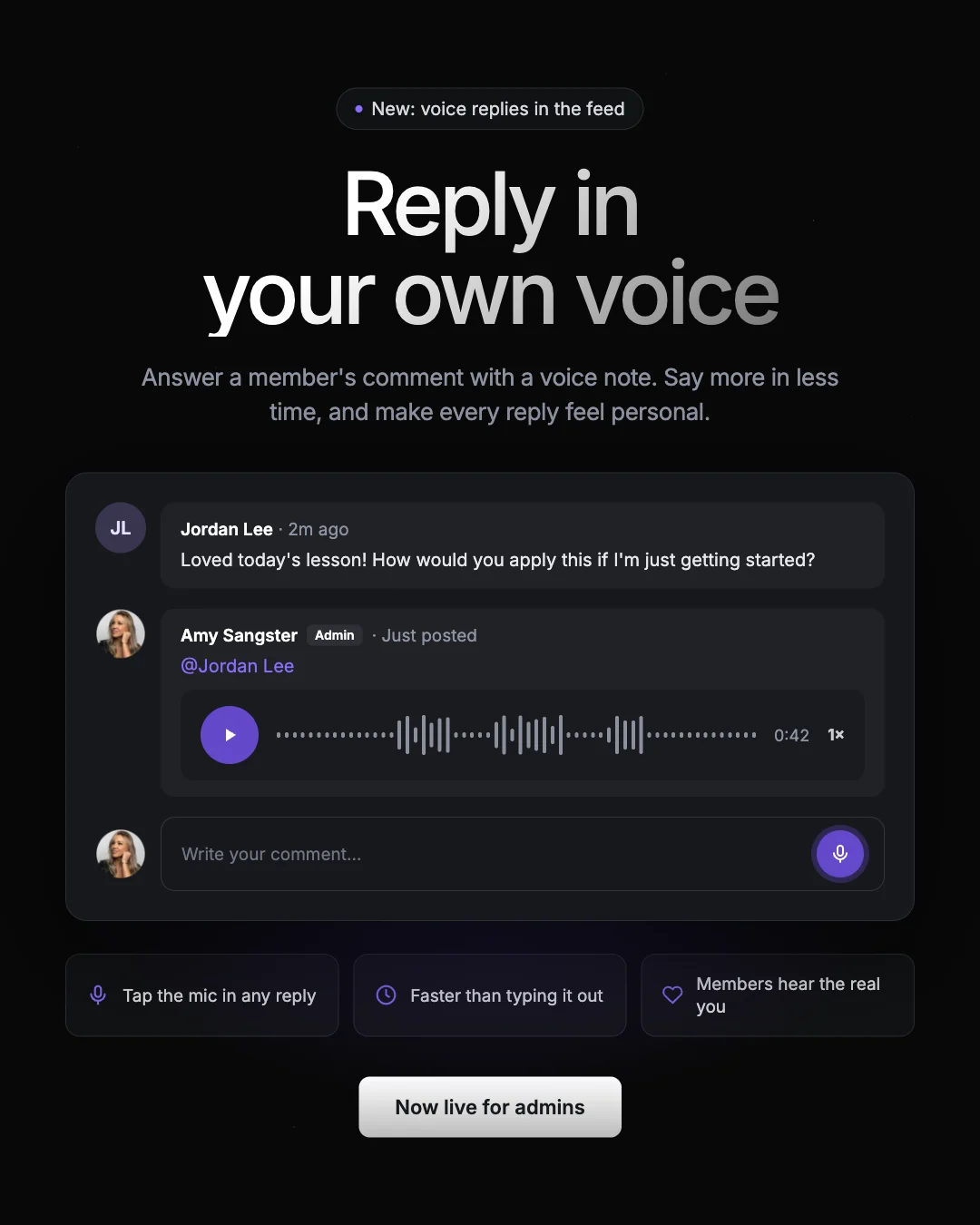
You can now reply with a voice note 🎙️
@Everyone Last week we gave you voice notes in the feed. Now you can use your voice in the comments too!
Admins can reply to any comment with a voice note. When a member asks a question, shares a win, or needs a little encouragement, you can answer in your own voice 🙂
How to do it:
Open the comments on any post




Member activity map not showing
Hi there! Over the last couple weeks i've noticed that the member activity map is wiped out and no matter which community i'm in, i see everyone's activity being blank. I've cleared my cache but still not resolved. Is it just me or is it across the board? @Hunter OBrien

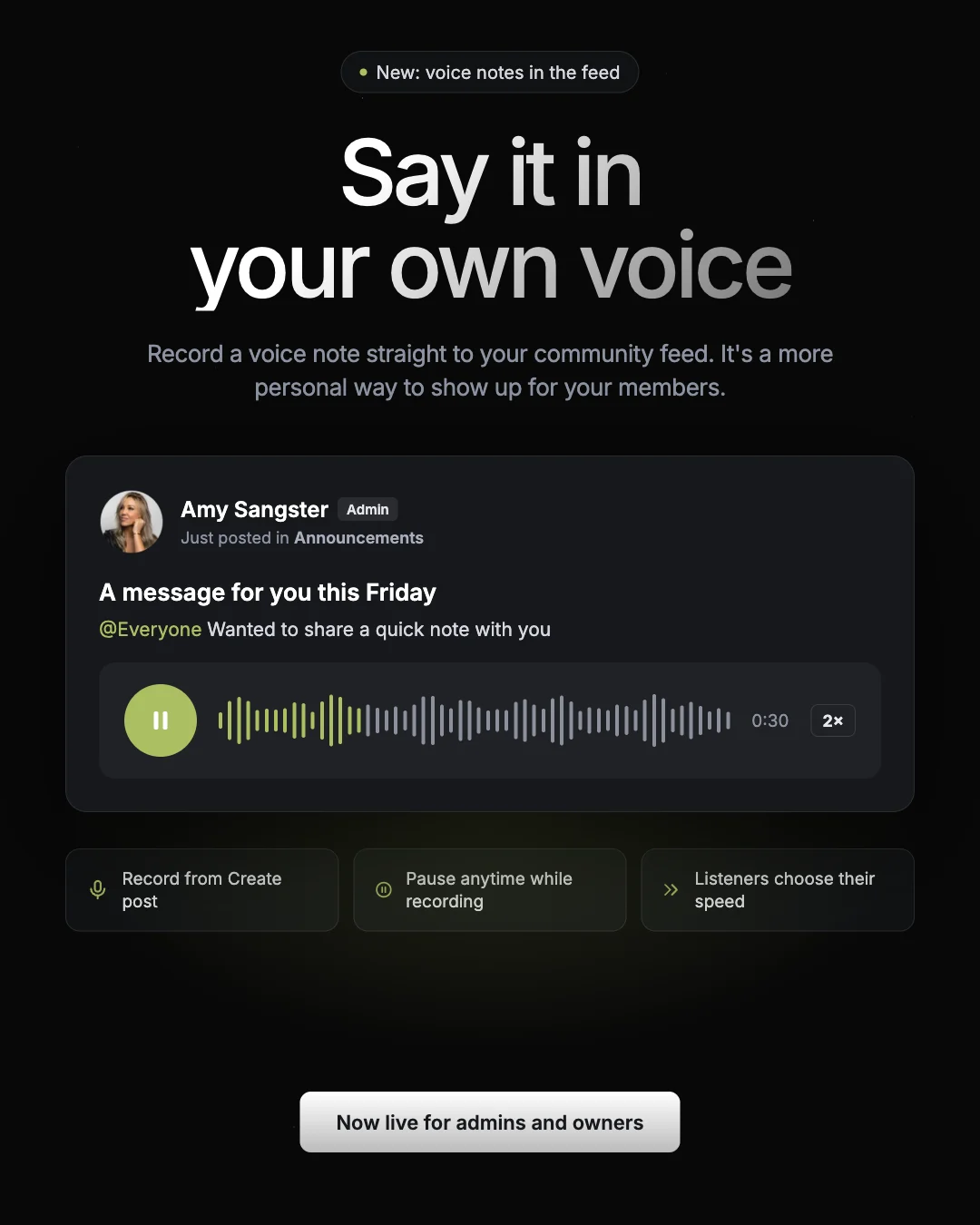
Voice notes in feed are here 🎙️
@Everyone This is one of my favourite updates we’ve shipped. Admins and owners can now record a voice note straight into the community feed!
Text is great, but there’s nothing like hearing someone’s voice. Your tone, your energy, your excitement come through in a way a written post can’t match. It’s a whole new way to get even more personal with your community.
How to record one:
Click Create post



Urgent Request for Time Zone Change in Vancouver BC
@Amy Sangster I have an urgent request. I'm in Vancouver, BC Canada and we now have a new time zone - we're on PDT or Vancouver time, however when I schedule sessions on member up this time zone isn't an option. It's causing a lot of confusion for my members, and showing up incorrectly in their calendars. Please let me know when this will be fixed? I have a session tomorrow and even people in Vancouver are saying it's in their calendar at the wrong time. Thank you!


Memberup Membership Help ASAP
I've been looking for a support email for memberup for a while now since i did not want my membership to renew. I have been searching my emails for a receipt from my original payment when i signed up a year ago and have not found anything - for the past payment or the renewal i was charged today.
I could not find any information on the site for support. Can someone please send me in the right direction?? I would like to dispute my renewal charge of $633.64 CAD (i cannot afford it)
Please help ASAP, thank you.


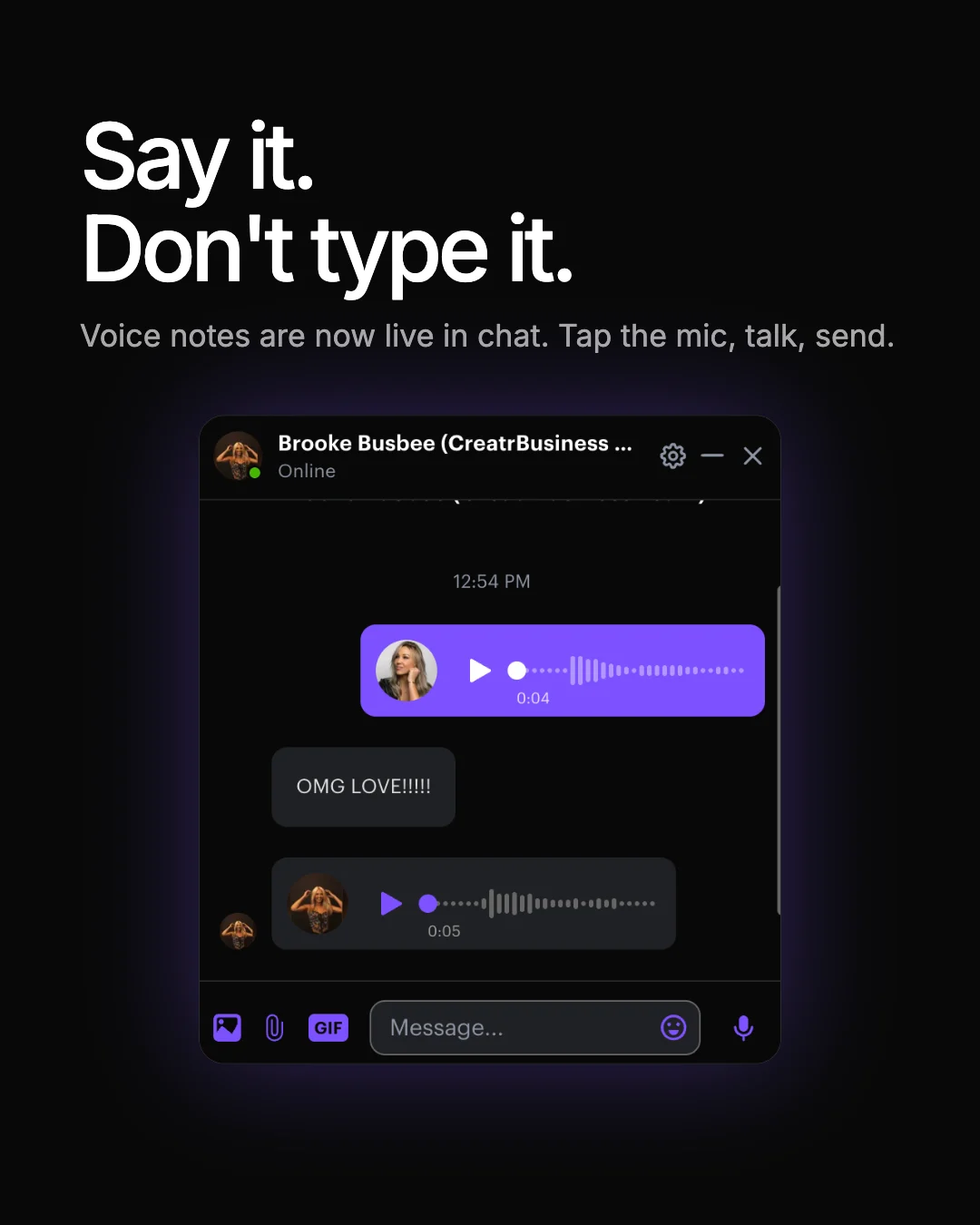
You can now send voice notes in chat 🎙️
@Everyone Voice Notes In Chat Are Now Live 🥳
Just tap the mic, say what you need to say, and send. It’s way faster than typing out a long message...some things just land better when people can hear you say them 🙂
Give it a try this week. We’d love to hear how you end up using it!



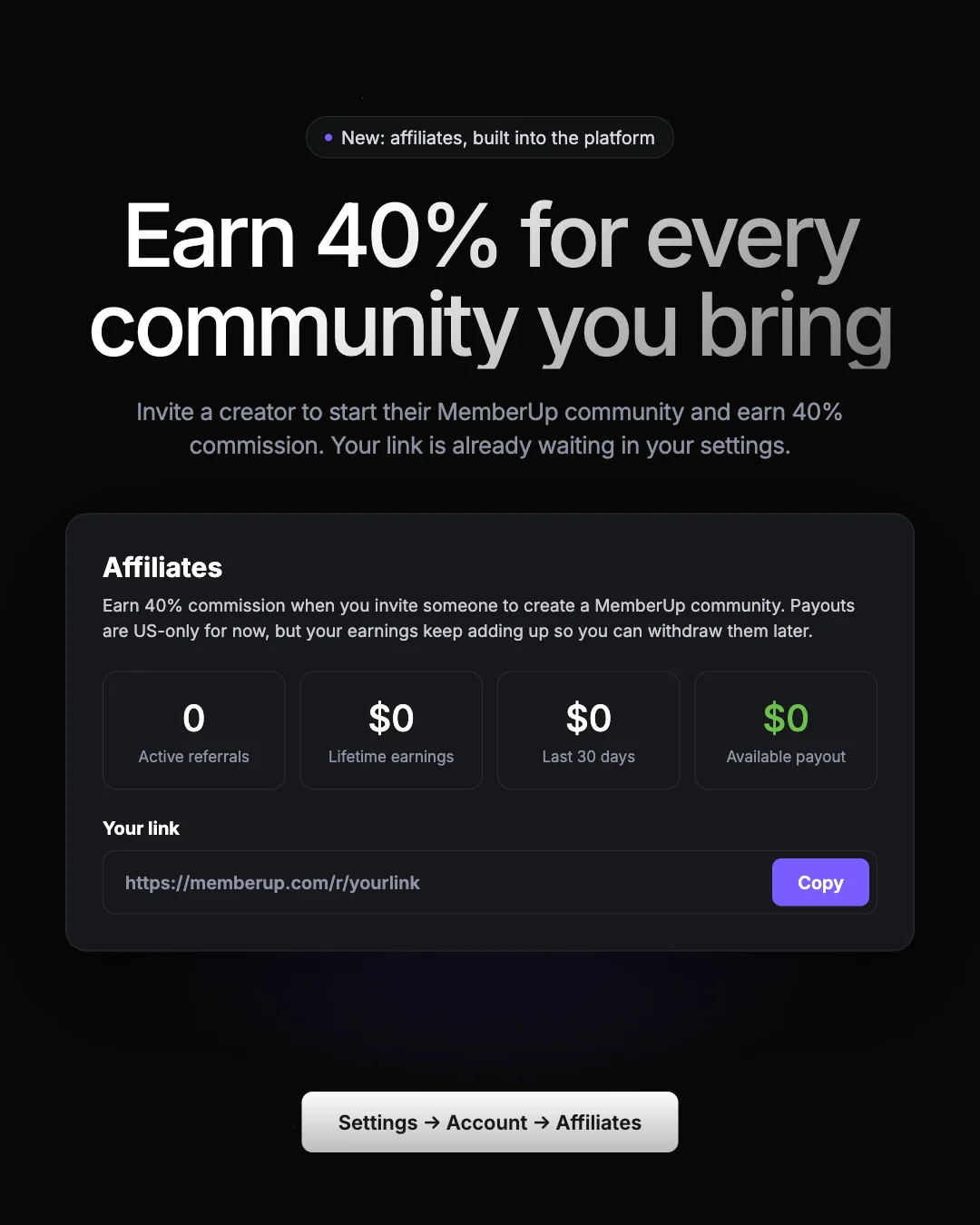
You can now earn 40% every month by sharing MemberUp 🎉
@Everyone Affiliates are officially live inside MemberUp, and it pays 40% recurring commission for as long as your referrals stay!
That’s every month, not a one-time bonus. Refer a few creators and you’ve built yourself a second income stream from a platform you already use every day.
Here’s how it works 👇
1. Grab your link
Go to Settings → Account → Affiliates. https://memberup.com/settings/account/affiliates Your personal referral link is waiting at the bottom. Hit Copy.